

Heads up: the Amazon links below are affiliate links. I only ever link things I actually use.
FLOW WELL
Skip the Post Office
What this is
Holiday cards and packages usually mean a trip to the post office, and that’s the one errand I’ll do almost anything to skip. This post explains how I’ve mailed packages and cards from home for over 6 years: the site I use to print labels, what my little shipping station looks like, and how I send real birthday cards without going to the store. Just like my Costco post a few weeks ago, I didn’t realize so many people didn’t know about this so I’m sharing the knowledge for those that hate waiting in that holiday time shipping line as much as I do!
The story
It’s not really a new thing for me to dislike an errand like going to the post office or shipping store. If it requires me to interact with people that are a) grumpy and b) unknown to me, I’d rather spend my time elsewhere. Once I had kids and running errands became even more difficult, I was determined to find another way.
To me, the post office is second only to the DMV in how painful it is to go there. I think the DMV is probably number one for a lot of people, but the post office can be just as bad, especially around the holidays. The people there always seem miserable. There’s always a long line. There’s paperwork that has to be filled out a specific way, and if you get it wrong you’re sent to the back of the line or to a separate table. It’s never clear what the prices are until after it’s done, and you feel panicked making choices because there are people behind you. There are all these add-on options on a menu, but nobody explains what they are. The workers just stare at you while you’re trying to figure it out. You have to have all your ducks in a row, wait in line, hope you get someone nice at the counter, and then you still end up spending so much money. Have you seen the price of a stamp lately?!?
When I was in college, my mom owned a packing and shipping store in our hometown, the good old Qwik Pack & Ship. When I came home on breaks and for the summer, I would work there. That’s when I first learned about packing and shipping. For small packages or envelopes, the United States Postal Service (USPS) was generally the cheapest. For larger or heavier packages, or ones you needed insured or needed to arrive by a certain time, UPS or FedEx weren’t always cheaper but they were always more reliable. My days working there led me to avoid USPS at all costs, because I saw how many of their packages got damaged, how they would get lost, how the tracking wasn’t reliable, how long they took, and how for bigger packages it was often more expensive if it needed to get somewhere fast. I always recommended UPS if people were shipping something they actually cared about.
Having said that, that was over 20 years ago. Now it’s not always true that USPS is the least expensive even for smaller items. They’ve raised their prices so much (again, the price of a stamp is astronomical now if you haven’t looked recently). For regular mail, all we have is USPS and a stamp. For packages, UPS is more often than not the best choice - least expensive, fastest, and most reliable. But going to the UPS Store (or your town’s own version of the Qwik Pack & Ship) is not that much better than going to the post office, especially at the holidays. It involves lines, and grumpy people, and marked-up fees for whatever you’re trying to ship.
Eight years ago when I first started working with Beautycounter (now Counter), I had to ship out samples and packages to people fairly regularly. I also don’t live near my family, so I was always shipping packages back up to New Jersey for family gifts and whatnot. As the volume of packages I needed to ship increased, I knew I needed to find a more efficient way.
How Pirate Ship works
After trying a few options over the years, the site I use now is called Pirate Ship. It is VERY user friendly – you enter the shipping address, the dimensions and the weight of your package, and the site generates different shipping options for both UPS and USPS. You can see how they compare to each other and then you get to choose. You can see how fast things will get there to that specific location, how much extra it costs for more insurance, what other add-ons are available, etc. Basically, it’s similar to the software I used at Qwik Pack & Ship back in the day, except you can do it at home.
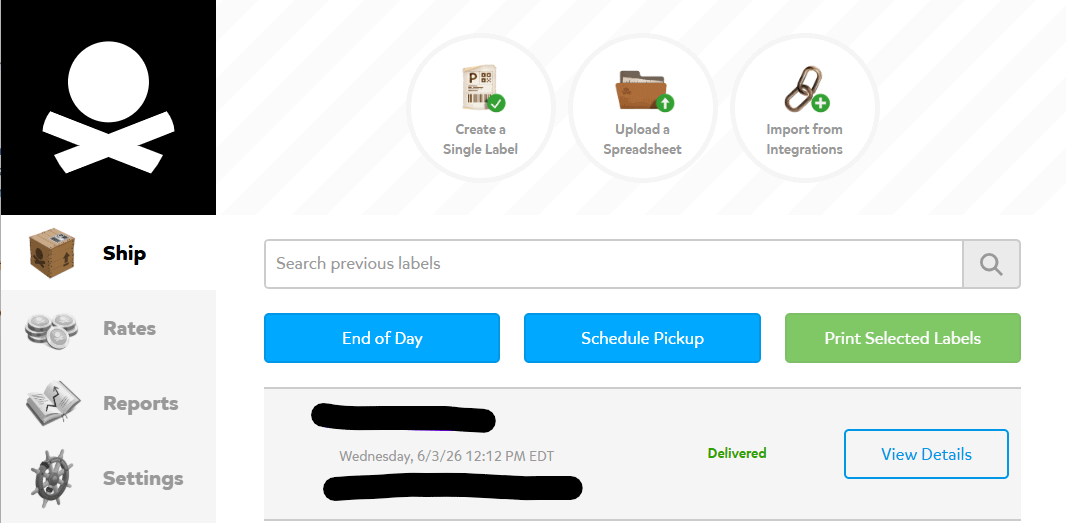
The best part is that it’s FREE to use! You create an account, but there’s no subscription, no monthly fees and nothing you pay up front. It just charges your card (or PayPal) for that one package at a time.
Once you select a shipping method, it creates a label. You can print it on regular paper and tape it to the box with packing tape, or print it on sticker paper and stick it right on the box or the envelope (that’s what I do, more on my setup below).
I don’t know exactly how they’ve negotiated the rates down, but the rates are all discounted compared to retail, especially with UPS, and in some cases the discounts can get up to 80% or beyond!! For me, the fact that they’re discounted at all compared to retail is what matters, and these prices very, very often are cheaper than going to the UPS Store or the post office. If you want to see what your package would cost, try their rate calculator.
Then you either hand it to your mail carrier or put it in a local drop box. I have a UPS and a USPS drop box right down the street, so it’s easy for me to pop the package in there without having to deal with anyone. If there’s no drop box near you, for a small fee UPS will come pick it up, or you can drop it off at a UPS Store, CVS or Michaels. You can search by ZIP code at locations.ups.com to find the closest spot. For USPS, if you can’t give it to your carrier, you can drop at the post office (without waiting in the line), or often times a UPS store or local shipping store takes USPS drop offs as well.
Even if you take it to the UPS Store or the post office, you just drop it off and walk out. NO waiting in line! You’ve got the tracking information on your computer already, and it can email your recipient the information too. I don’t know why more people don’t know about this, because it’s like the seventh circle of hell to go ship things during the holidays (having worked on the other side of the counter when the line never ended between Nov 1- Dec 23 I can say this lol).
A few other things I love about it:
Templates - If you ship something regularly (like if you sell a product and mail the same thing out often), you can save the size of your box or envelope and its standard weight, so you don’t have to enter it every time. It just auto-calculates.
Saved addresses - It saves your recipients, so you can have your whole address book in there. You don’t have to look up your sister’s address every time you mail her something. It’s just right there with her name.
Insurance and delivery estimates - You can add insurance, and it shows you the delivery estimate before you buy.
Unused labels - If you print a label and never use it, Pirate Ship refunds it automatically after a couple weeks.
It really is just for about anybody that ever has to ship anything. It doesn’t help with everything, though. For a regular letter, I still just use a stamp, but you know I get those delivered thru Costco per my previous post – again to avoid the post office!
Previously, I’ve used GoShippo, which is another site similar to Pirate Ship. The difference is it’s much more complicated, so if you do a lot of shipping, use carriers other than UPS and USPS, send a lot internationally or need a lot of support, GoShippo might be a better option for you. If you’re just sending one-off packages within the US, I think Pirate Ship is the best choice because of its ease of use.
My shipping station
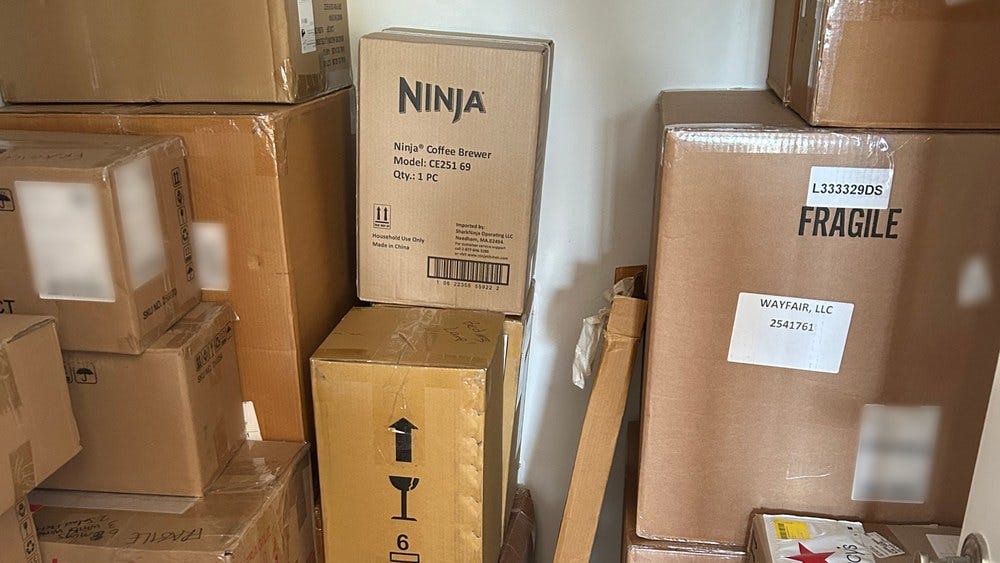
In my DIY shipping station at home, I just use my regular home printer. If you’re really fancy or have a lot of things to ship, they do sell small thermal label printers that use a roll of shipping labels. I’ve looked into getting one, but for how little I’m shipping these days it wasn’t worth it.
Paper - Regular printer paper works, or the sticker paper that’s split in half so I get two labels on one page is what I use.
Boxes - I mostly just reuse old boxes and padded envelopes that are in good shape, and tape them up. If you have a problem with Amazon like me then I know you’ve got a stack of boxes in the garage. If there’s an old label on it, I peel it off and if I can’t I black it out with a big black Sharpie. It really doesn’t matter what you ship in. If you use Priority Mail, you can get free boxes from the post office too (you can even order them on usps.com so you don’t have to go into said post office lol)
Scale - For most packages or envelopes I just use a kitchen scale, the same kind I use for baking. Since ounces is one of the conversions available, it works out perfectly since that is how mail is measured. If something is huge or heavy, I just weigh myself on my bathroom scale then hold the box and weigh myself again. The difference is the weight of the box (or close enough for these purposes)
Ruler/Tape Measure - A lot of times these days the weight isn’t even the biggest factor, it’s the dimensions, because that’s how packages fit on the truck. So I keep a ruler and a tape measure near the scale and the printer paper.
It takes SECONDS to mail stuff these days! My set up mostly lives in my office because I’m working on the computer there, but you could also have it by the door if you have some storage space, wherever you’re most likely to package up a box. Not only does it save me money, it saves me a trip, so I’m all about it!
Postable for cards
One other sort of unrelated thing I’ve discovered in the shipping world is related to greeting cards. Have you ever gone into CVS or Walgreens or Target or wherever to pick out a card for someone and just keep picking them up and saying “who would buy this?” lol. It would always take me SO much time to find something that would work, and it just never felt like a good use of my time to weed through so many bad options. BUT, I do love sending cards – I feel like it’s such a small token that can show the person we’re sending it to that we care about them, thought about them and remembered them on their special day. So I didn’t want to give it up entirely.
That’s how I found Postable, which is a company with customizable greeting cards that they ship for you. Some of the cards are just pictures and words like you’d find at the regular store, but you can also upload photos, either a collage or a single photo, customize the text, and change the font. You basically have the option to customize the card online however you’d like it. You can also create one card and send it to multiple people (like for the holidays) or you can create one-off cards customized to each person. There is no minimum so you could even send just one card (but there are discounts for sending more than one at a time).
I create a card, often with my kids on it, and input in the name and address of the recipient. Postable prints it (a REAL physical card, not an e-card), adds a stamp, and mails it with my return address. I’m sure you’d guess there is a premium to be paid for this customizable, cute card, stamped and sent out on your behalf, but I find it is CHEAPER than the drug store card in almost all cases! I went into Walgreens the other day and the price of greeting cards was mind-blowing: plain, boring, super generic cards for $6.99. Most Postable cards are less than $5 (since every time I’ve purchased there has always been a sale), the stamp is the regular price of a stamp, and there are no extra fees for sending. My last order came to $4.59 a card. The sales vary but I know they happen quite often. At the time I’m writing this, the sale is currently 20% off. In the past I’ve also seen them offering free postage as part of a promotion, so check the site before sending.
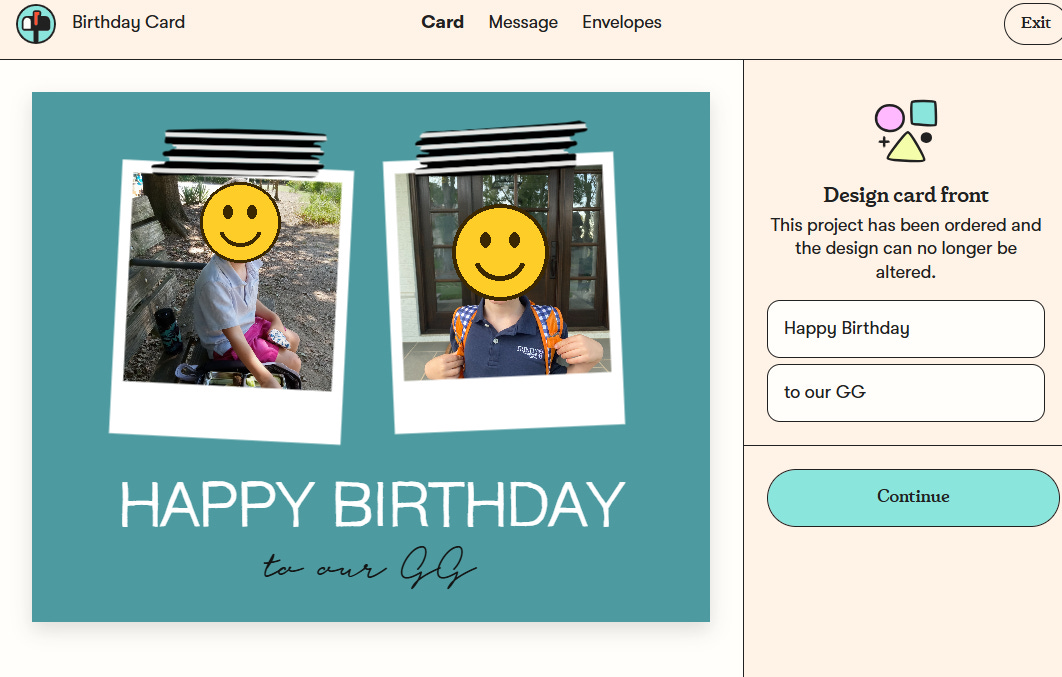
If you are a planner, you can create multiple cards at once and schedule them to be delivered at different times all in one go. If you don’t schedule it, they print and mail it in a business day or two, and it arrives in about 3 to 7 days. I LOVE that I can plan ahead. Now, when I think of it I can do it right away (versus waiting until just days before someone’s birthday or event). It’s a really nice way to have customized cards without leaving your house and without dealing with stamps and the post office and whatever else comes along with that. Highly recommend!
The Shortcut
Want to skip the post office line this season? Print your labels at home with Pirate Ship and drop the box off.
Want a real birthday card in the mail without going to the drugstore? Postable prints, stamps and mails it for you.
No drop box near you? Find one by ZIP code at locations.ups.com, or pay a small fee and UPS will come get it.
Save yourself a trip (or multiple trips) and the holiday angst this year and just do all your shipping from home!
Before you go
What errands have you figured out how to skip? Drop them in the comments, because I’d love to steal the ones I haven’t thought of!
Talk soon,
Kristen ❤️